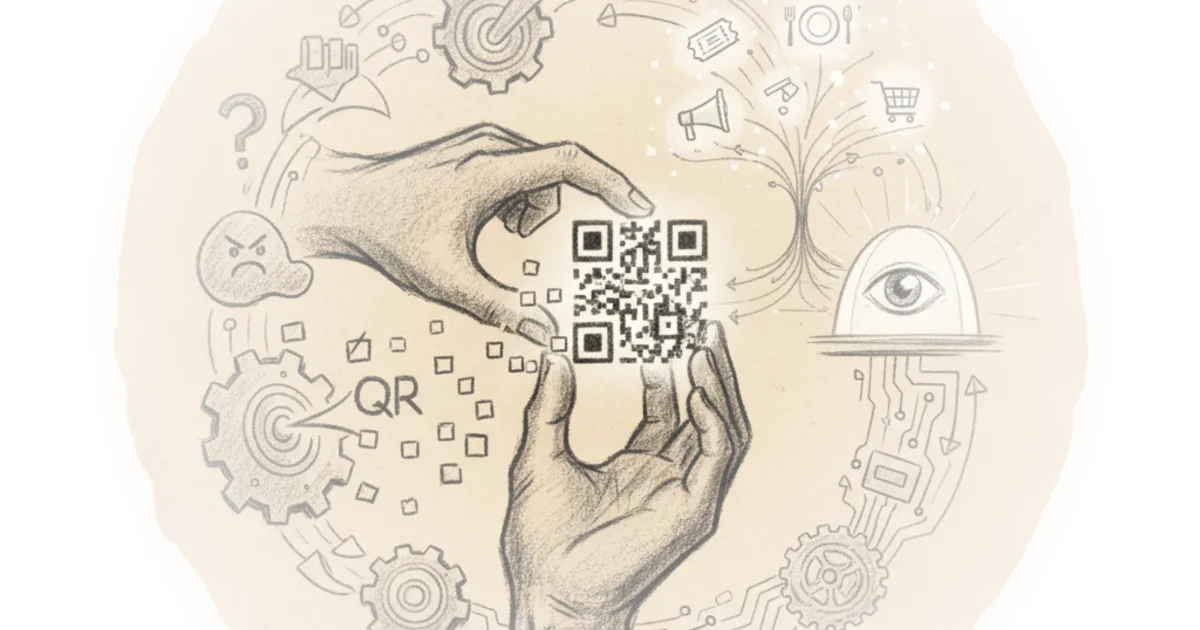
The story behind those strange square patterns has a surprising history that most people have never considered. Derek Muller, a Veritasium creator, reveals how barcode technology evolved from 19th-century telegraph systems into one of the most ubiquitous technologies of our digital age—and why understanding this transformation matters for anyone who uses a smartphone.
From Dots and Dashes to Supermarket Shelves
The journey begins in 1836, when two inventors along with Joseph Henry and Alfred Vail devised a machine that could send electrical pulses across wires. This wasn't the first electric telegraph, but it was notably simpler than competing systems. The breakthrough came when they turned dots and dashes into a code that operators could recognize simply by sound—allowing information to flow faster than ever before.
Morse code became an international standard for rapid communication, widely used in military, maritime communications, and aviation. The universally recognized distress call SOS, for instance, happens to be easy to send and recognize in Morse code.
But the next century would bring a transformation that no one anticipated.
In the late 1940s, Bernard Silver was an engineering student at Drexel University in Pennsylvania when he overheard the president of a local supermarket chain asking the engineering dean about ways to speed up the checkout process. At that time, cashiers had to type in each item and its price by hand—a process so tedious that many had developed carpal tunnel syndrome.
Silver told his friend Norman Joseph Woodland about the problem, and together they began experimenting. After several false starts, Woodland moved down to Florida. One day on the beach, he drew some dots and dashes of Morse code in the sand—something he was very familiar with as a Boy Scout. He recalls extending the dots and dashes downward, making narrow and wide lines out of them. Thus, the first barcode was created.
From this humble beginning evolved the Universal Product Code, or UPC—a barcode capable of storing a simple string of twelve numbers. It's read by scanning a laser across it and checking how much light is reflected to interpret the black and white lines as dots and dashes. A pair of vertical lines are placed at the beginning, middle, and end to ensure the scanner reads the code properly.
The code is divided into left and right halves. Numbers on either side have their black and white lines flipped so that the scanner can tell left and right apart, even while reading upside down. When viewed upright, the numbers typically specify the manufacturer on the left and the product on the right.
Manufacturers actually pay large sums to reserve given amounts of numbers for themselves so they can exclusively register their products. The twelve digits of a barcode uniquely specify every single grocery item you've ever bought. This jar of peanut butter is identified by the same twelve digits no matter where in the world it's found, and all variations—smooth, crunchy, stir, no stir, sugar-free, low sodium—get their own unique barcode.
But there was a catch: the last digit is not independent of the others. The barcode creators were aware that it could get scratched, stained, or tampered with, so they reserved the final digit to verify that the barcode is complete. Without that last digit, the number of unique possibilities drops to 10^11, or 100 billion options.
To date, 1.24 billion barcodes have been registered—a number that is rising every day.
Why We Needed Something More
But barcodes weren't enough for what people really wanted. The limitation was clear: twelve digits could only identify one product. What if someone needed to know more information—like where that product came from?
In 1986, cattle in the UK began showing symptoms of a curious brain disease—bovine spongiform encephalopathy or mad cow disease. It spread when cattle ate feed containing prions, misfolded proteins. If people ate beef containing tissue from the brain or spinal cord of infected cattle, they could contract a related brain illness that literally turns your brain into a sponge.
As no test could detect mad cow disease in living cows, millions of cattle were called, and health officials sought a method to track sources and imports of beef. But with all the information this would require for any one piece of beef, barcodes were insufficient.
American inventor David Elam tried to solve the problem by stacking many barcodes on top of each other. The result—Code 49—looked like a bookshelf and was actually the predecessor of PDF 417, a code often used on airline boarding passes. But Code 49 didn't solve the data quantity problem at best it multiplied the information a barcode could carry by a handful.
A more efficient way was to extend barcodes into two dimensions. NASA tried this in 1994 with Vera code, used to track and identify space shuttle parts. This code was read by early digital cameras rather than lasers and was initially proprietary.
Around the same time, Masahiro Hara—an engineer at a Japanese auto parts manufacturer named Denso—was getting frustrated at having to scan multiple barcodes for filling in the same box of car components. He set out to develop an alternative on his own, drawing inspiration from an unusual source.
How Information Gets Stored
To understand how information is stored in a QR code, let's build one ourselves. We'll use black and white stones, where white represents zero and black represents one. We're going to encode the link to a YouTube channel on this board.
The first step is to convert "youtube.com/veritasium" into ones and zeros using ASCII encoding. ASCII encoding uses characters which itself has roots in Morse code. Every character is assigned a number from 1 to 256, then we convert the ASCII decimal into its binary form. Since 256 is 2 raised to the power of 8, we can use eight binary bit combinations to represent all ASCII characters. These eight bits make up one byte of information.
The letter W is assigned the ASCII decimal 119, or 01110111 in binary. Doing the same for all characters in "youtube.com/veritasium" gives us a string that's twenty-six characters long, taking up twenty-six bytes of information.
Our board is 25x25—this is known as a version 2 QR code. There are many different sizes, all readable by your phone camera. Hara's version one QR code was 21x21, and the largest version today is 177x177—that is large enough to hold three kilobytes of information.
Just twenty-six of these would have been enough to store all the information Apollo 11's computer needed to send humans to the Moon. One programmer even encoded a computer game Snake into a version 40 QR code.
The region around a QR code must be empty and of uniform color—this is the quiet zone. A distinguishing feature of QR codes is the three square patterns in the corners, which allow the reader to identify the orientation of the code. Almost all QR codes also have a fourth square in the last corner, but it's smaller and hence trickier to spot. This is the alignment pattern, used to rescale the QR code when it's read from varying distances or from crazy oblique angles.
The relative size and distance of the alignment square with respect to the position squares allows the software to rescale it into a proper square. Next to the position squares are plain white strips that isolate them from the rest of the code, and these are timing strips—zebra pedestrian crossings which connect the top left position square with the other two.
Every QR code has these alternating strips. You should look out for them: QR codes of all sizes visibly look the same, so this tells your phone which version it is and therefore how much data to expect. If there are five alternating squares, it's version one; if there are nine, it's version two—and so on.
Next to those are format strips that contain rules for how to scan the code.
There's another feature every QR code has: this one pixel adjacent to the bottom right position square is always dark. The remaining space is for data storage. Data inside a QR code always starts at the bottom right corner. Here, the first four squares carry four bits that specify the data format—triple 01 if it's just numbers, 0010 if it's alphanumeric (capital letters and numbers), 0100 if it's information stored in bytes, and 1 for Japanese kanji.
The following eight bits are used to indicate the number of characters in our message. Since we have twenty-six characters, that should be 00011010.
Next, we start arranging our bytes for "youtube.com/veritasium" starting in eight-bit two column cells. They follow a zigzag pattern that snakes its way to the top left. Within each cell that represents a byte, the most significant bit—corresponding to 2^7—is at the bottom right, and the least significant or 2^0 is at the opposite end.
For W, it would thus be filled like this: we follow along with the rest. Once we fill in the bytes for "youtube," we encounter the alignment pattern after four bits to put in the next T—we simply bypass it and do the same for any of the other fixed regions of the code.
Thus we keep filling our data in the same zigzag pattern. After we complete "youtube.com" cells, start looking less regular and more tetris-like, but the way we put the stones—byte after byte—remains the same. And there go the last eight bits for the last letter M.
We've only covered about half of our QR code—that's because this whole remaining space is reserved for redundancy. These extra bytes of error correction allow us to reconstruct information if the QR code is damaged.
For a fully intact QR code, error correction makes something else possible: putting a company logo at the center.
Critically, QR codes offer four levels of error correction—low, which can still be read with seven percent of the code missing; medium, which handles fourteen percent; quartile, twenty-five percent; and high, thirty percent. This means a QR code could still be read properly even with nearly a third of it missing.
Higher levels require more space for error correction, so knowing how much of the code is error correction is vital. This information is protected in two ways: first, the level of error correction is indicated in the format strip, which is present identically in two places—the simplest way to avoid errors is to duplicate this information.
The most significant bit corresponding to 2^7 is at the bottom right, and the least significant or 2^0 is at the opposite end.
Bottom Line
Muller tells a compelling story about how supermarket checkout frustrations led to one of the most ubiquitous technologies in our digital lives. His strongest contribution is making the technical accessible—showing readers that QR codes aren't mysterious magic but rather logical extensions of older data storage systems. The biggest vulnerability: his historical framing oversimplifies complex technological evolution, and he doesn't fully interrogate whether QR codes really solve the problems he identifies. But the core insight holds—the patterns we scan every day have a rich history worth understanding.